What Is a Digitally Altered Image?
A “digitally altered image” is an image or photo created by or at the direction of the real estate broker or salesperson, or person acting on their behalf, that has been changed using photo editing software or artificial intelligence. Examples of alteration include adding, removing, or changing elements within the image, such as furniture or appliances.
Common photo edits, such as adjustments to the lighting, sharpening, white balance, color correction, angle, straightening, cropping, and exposure, are allowed as long as they do not change how the property is represented.
What to Do When Adding a Digitally Altered or Enhanced Image
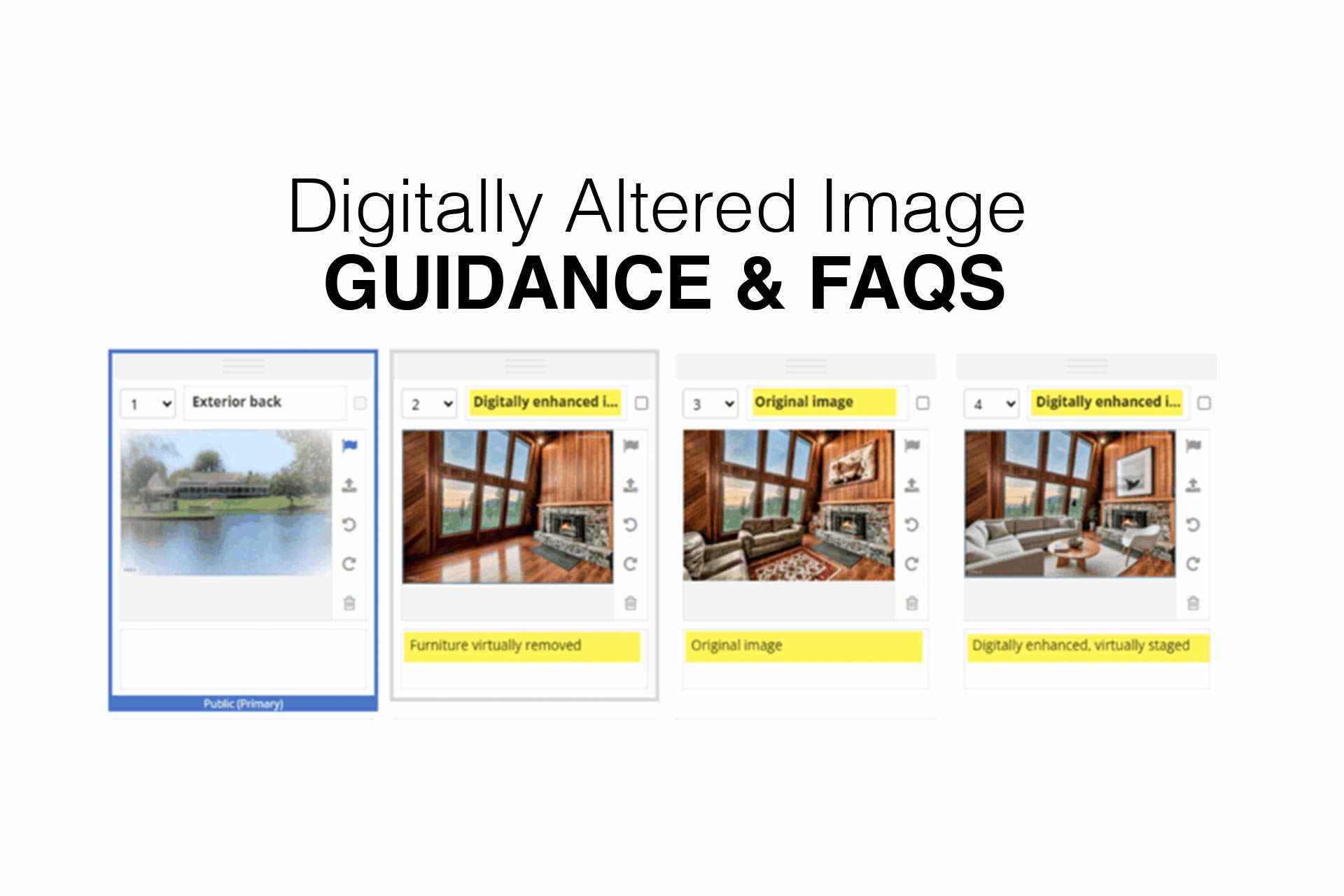
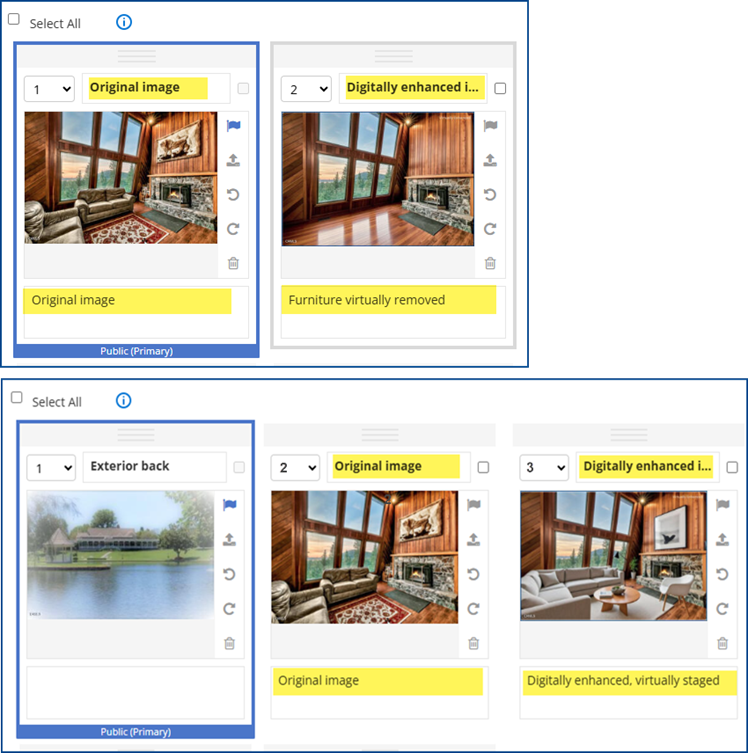
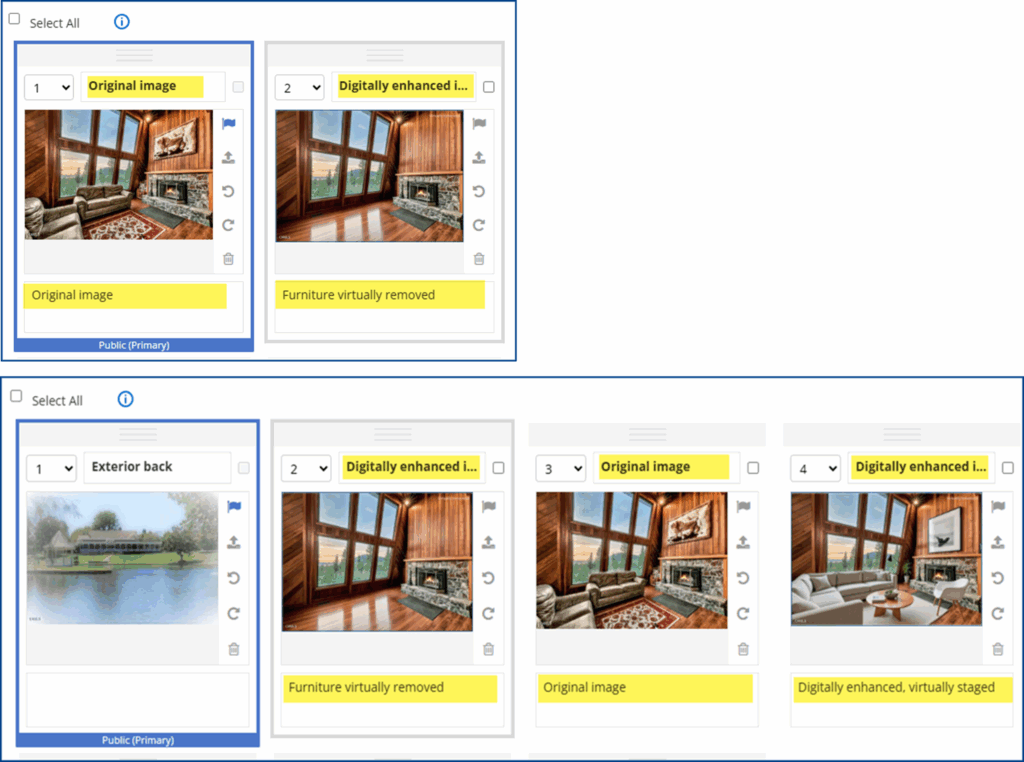
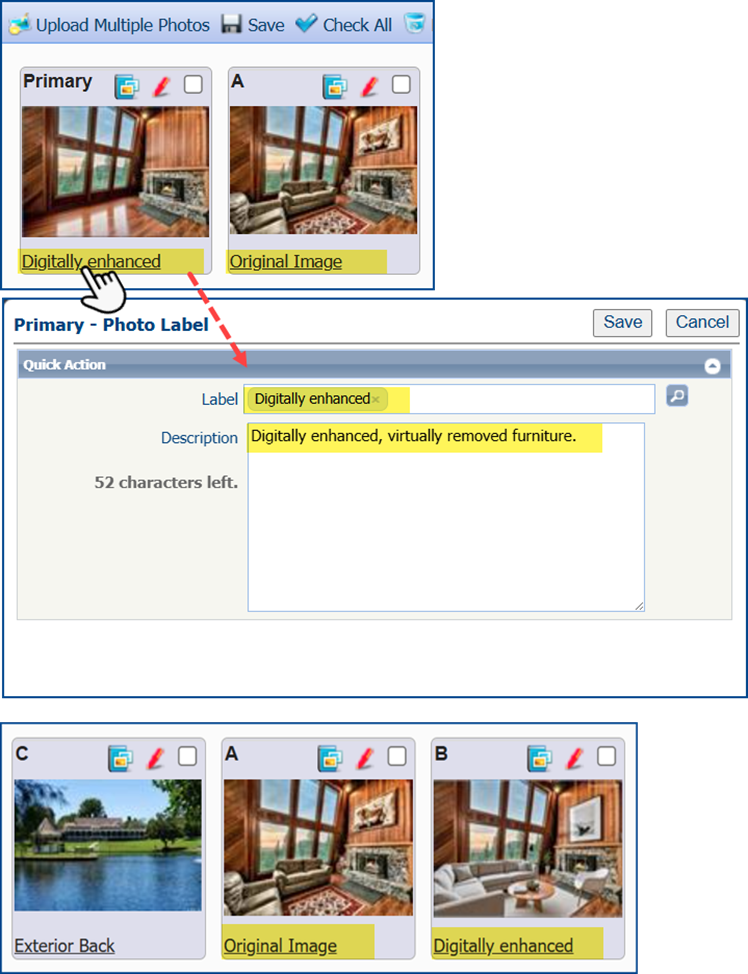
- When adding a digitally enhanced image to the MLS, the original, unaltered version must appear in the listing immediately before or after the digitally enhanced image.
- Clearly label the digitally enhanced image in the photo description text field. Use terms such as “digitally enhanced,” “digitally altered,” or “virtually staged,” etc. Before adding your image, check that you included an acceptable label in the listing add/edit module.
- Virtually clearing a room of furniture that will not be included at closing as part of the listed price is also considered digitally altered. Ensure the edited image is appropriately labeled, and the original image with the furnishings is displayed next to the altered image, either before or after it.
- A watermark is automatically added to every image made in the AI-powered staging tool ReimagineHome. When using this product, specify in the photo description text field and next to the original image that the photo is enhanced.
See examples of correct labeling for each MLS platform below:
Flexmls
Matrix
Paragon
Landscaping
Listing Records
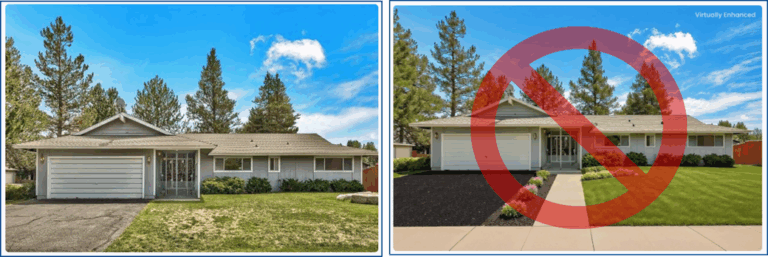
Per CRMLS Rules 11.5(c) and 12.10, which relate to Truth in Advertising, subscribers may not add any altered images or photos to a listing record. This includes alterations that add, remove, or modify any real property elements, such as flooring, walls, windows, structural elements, cabinetry, paint color, hardscape, landscape, façade, fixtures, or floor plans. Such alterations are only allowed if the listing property will be improved to match the altered photo at closing as part of the listed price, or if elements outside the property or visible from it are included. Examples include, but are not limited to, the removal of streetlights, utility poles, views through windows, or neighboring properties.
Click here for all CRMLS Rules and Policies.
FAQs
What is CA AB 723?
California Assembly Bill 723 (CA AB 723), which went into effect 1/1/2026, is a state law amendment that declares a property listing that features significantly altered images needs to include the original, unaltered images along with a disclosure about which images are altered.
What is Rule 11.5.2?
In adherence to CA CB 723, CRMLS has drafted the new Rule 11.5.2 and demands the same disclosure of unaltered images. The previous Rule 11.5.2 has been renamed Rule 11.5.3.
Note: The full text of the rule is at the bottom of this page.
What are digitally altered images?
Images or photographs that have been changed using digital editing tools or artificial intelligence to add, remove, replace, or modify visual design elements such as furniture, appliances or decor.
Does this include use of AI tools, such as ReimagineHome?
Yes, AI-altered images count as digitally altered images.
Does this rule apply to all edits to an image?
No. Minor photographic adjustments, such as brightness, color correction, sharpening, or lighting are not affected by this rule.
What do I need to do with my digitally altered images to stay compliant?
A digitally altered image description needs to be labeled as such (“digitally altered,” “virtually staged,” etc.), the original and unedited image must also be included in the listing either right before or right after the digitally altered image.
Can I digitally alter components of the actual property, like adding a doorway or carpeting?
In compliance with Truth in Advertising rules, users CANNOT add, remove, or modify any real part of a property such as wall color, flooring, cabinets, wall dimensions, landscaping, etc.
What happens if I don’t correctly disclose that an image is digitally altered?
The user will be contacted by CRMLS Compliance to correct the issue as any user would be for any other violation.
Does my photographer need to add a digitally altered watermark?
No. The image needs to have the term “digitally altered” or one similar in the image description.
Are AI-generated landscaping images permitted in the MLS?
No. AI-generated landscaping images are not permitted in the MLS, as they may misrepresent the real property, and are intended for buyer’s agents to use only as a visual tool to help buyers explore landscaping possibilities.
Is there a specific fine associated with breaking this rule?
As of now, there is no fine for violating this rule, however the CRMLS Rules Committee will revisit the matter of fines in 2026.
What if I’m unsure if an image is digitally altered enough to be covered by this rule?
When in doubt, err on the side of caution. If you can’t determine if an image is digitally altered, it is advised to disclose that it is via the process established above.